
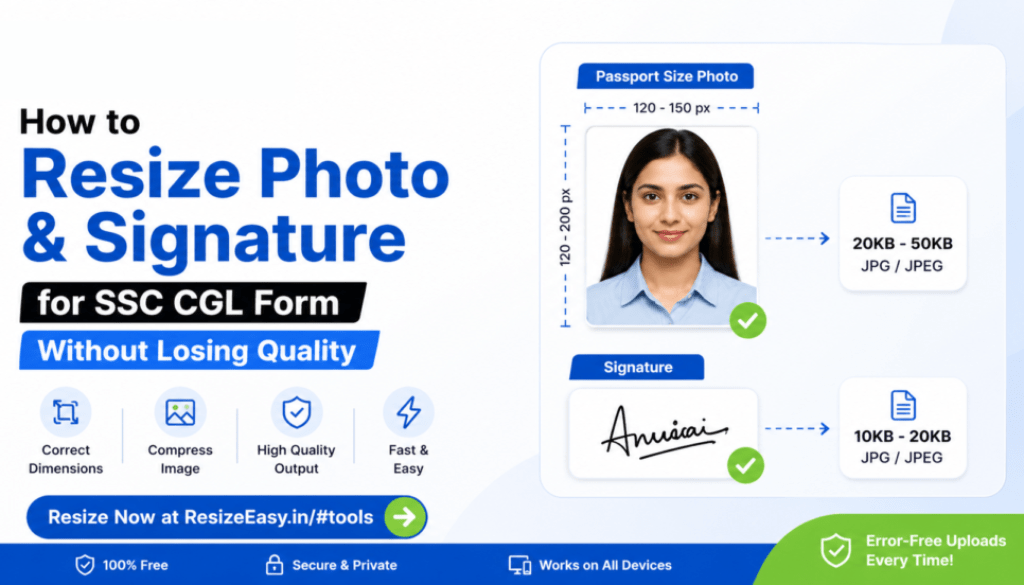
How to Resize Photo and Signature for SSC CGL Form Without Losing Quality
How to Resize Photo and Signature for SSC CGL Form Without Losing Quality
Uploading the wrong image size is one of the most common reasons SSC CGL application forms get rejected. Thousands of applicants face issues like “invalid dimensions”, “photo size too large”, or “signature upload failed” every year.
The good news is that you can resize your SSC CGL photo and signature in just a few clicks without losing quality.
In this complete guide, you’ll learn:
- SSC CGL photo size requirements
- SSC signature upload dimensions
- How to resize image under required KB
- How to compress photo without quality loss
- Best free online tool for SSC image resize
SSC CGL Photo Size Requirements 2026
Before uploading your documents, you must follow the official SSC image guidelines carefully.
| Document | Required Format | Size Limit |
|---|---|---|
| Passport Size Photo | JPG / JPEG | 20KB – 50KB |
| Signature | JPG / JPEG | 10KB – 20KB |
If your file exceeds the allowed limit, the SSC portal may reject the upload instantly.
Why Most SSC CGL Image Uploads Fail
Many candidates make small mistakes while preparing images for SSC forms.
Common Reasons Include:
- Photo file size too large
- Incorrect dimensions
- Low-quality compression
- Blurry signature uploads
- Wrong file format
- Mobile screenshots instead of scanned images
Using a dedicated resize tool can solve these problems instantly.
How to Resize SSC CGL Photo Online
You don’t need Photoshop or complicated editing software.
You can use the free Resize Easy tool to resize your SSC photo online directly from your browser.
Step-by-Step Process
- Open the Resize Easy tool
- Upload your passport-size photo
- Adjust dimensions or compress image size
- Preview the final image
- Download the optimized file
Resize SSC Photo Instantly
Compress and resize your SSC CGL photo and signature online without losing quality.
Use Free Resize ToolBest Dimensions for SSC Passport Photo
Although SSC changes requirements occasionally, the most commonly accepted dimensions are:
- Width: 100px – 150px
- Height: 120px – 200px
- Format: JPG/JPEG
- Background: Light or white
Always verify the latest notification before final submission.
How to Compress Signature Under 20KB
Signature uploads are another major issue for SSC applicants.
If your signature exceeds 20KB, you can:
- Crop extra white space
- Convert PNG to JPG
- Reduce image quality slightly
- Use online compression tools
The Resize Easy signature compressor automatically optimizes signatures while maintaining readability.
Tips to Avoid SSC Form Rejection
- Use a recent passport-size photograph
- Avoid selfies or filtered photos
- Scan signatures clearly on white paper
- Do not over-compress images
- Preview files before uploading
- Use JPG/JPEG format only
Why Resize Easy is Best for SSC Image Resize
Resize Easy is designed specifically for Indian exam and recruitment form uploads.
Benefits of Using Resize Easy
- Free online image resize tool
- No software installation needed
- Fast compression without quality loss
- Mobile-friendly interface
- Easy for beginners
- Works for SSC, IBPS, SBI, UPSC, APSC, and more
Frequently Asked Questions
What is the SSC CGL photo size limit?
The SSC CGL photo size is generally between 20KB and 50KB in JPG/JPEG format.
How do I resize a photo to 50KB?
You can use Resize Easy to compress and resize your image online within seconds.
Can I resize SSC signature on mobile?
Yes, Resize Easy works perfectly on mobile devices and browsers.
Will compression reduce image quality?
Proper optimization maintains image clarity while reducing file size.
Final Thoughts
SSC CGL form rejection due to image upload errors is completely avoidable if you prepare your documents correctly.
Using a proper image resizing tool helps ensure accurate dimensions, smaller file sizes, and smoother uploads.
If you want a fast and beginner-friendly way to resize SSC CGL photos and signatures, Resize Easy makes the process simple.
Prepare Your SSC Images in Seconds
Resize photos, compress signatures, and upload error-free SSC application forms easily.
Start Resizing Now


