
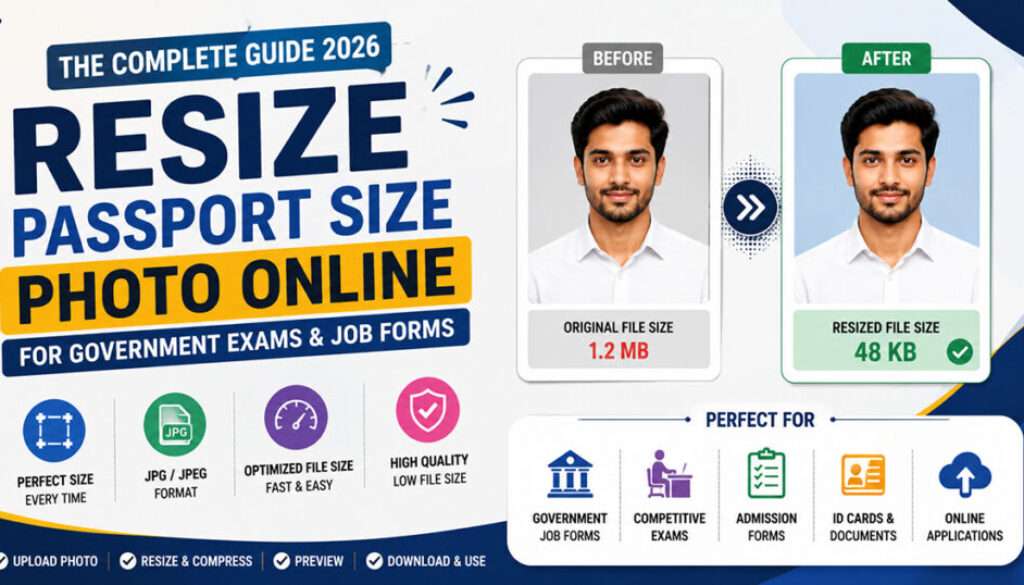
Resize Passport Size Photo Online for Government Exams and Job Forms
Resize Passport Size Photo Online for Government Exams and Job Forms

Uploading the correct passport-size photograph is one of the most important parts of filling online government exam and job application forms. Every year, thousands of candidates face upload errors because their image dimensions, file sizes, or formats do not match official requirements.
Whether you are applying for SSC, UPSC, SBI, IBPS, Railway Recruitment, NEET, JEE Main, or other national-level exams, preparing the correct passport-size photo is extremely important for smooth application submission.
This complete guide explains how to resize passport-size photos online without losing quality, optimize image dimensions for government job forms, and avoid common upload errors using Resize Easy.
Why Passport Size Photo Requirements Matter
Government recruitment portals use automated systems to validate uploaded images. If your passport-size photo exceeds the allowed size limit or uses unsupported formats, the upload may fail instantly.
Common upload issues include:
- Photo upload failed
- Image exceeds size limit
- Invalid image dimensions
- Unsupported JPG/JPEG format
- Photo preview not loading properly
- Blurry or stretched passport photograph
Resizing images correctly helps avoid these problems and ensures smoother application submission.
Common Government Exams Requiring Passport Size Photos
Most government and entrance exam forms require properly formatted passport-size photographs.
| Exam / Recruitment | Common Photo Size Limit | Accepted Format |
|---|---|---|
| SSC GD / SSC CGL | 20KB – 50KB | JPG / JPEG |
| IBPS PO / SBI Clerk | 20KB – 50KB | JPG / JPEG |
| UPSC Application Forms | 20KB – 300KB | JPG / JPEG |
| NEET UG / JEE Main | 10KB – 200KB | JPG / JPEG |
| Railway Recruitment | 20KB – 50KB | JPG / JPEG |
How to Resize Passport Size Photo Online
You no longer need advanced editing software like Photoshop to resize passport photos manually. Online image resizing tools make the process much easier and faster.
Step-by-Step Process
- Open the Resize Easy image resize tool
- Upload your passport-size photograph
- Select desired image dimensions or file size
- Resize and compress the image
- Preview image quality
- Download the optimized upload-ready file
Resize Easy automatically balances image quality and compression for better upload compatibility.
Resize Passport Size Photo Instantly
Resize and compress passport-size photos online for government exams and job forms without losing quality.
Use Free Passport Photo ToolBest Passport Size Photo Guidelines
Candidates should follow these recommended practices while preparing passport-size photographs for online applications.
Recommended Photo Guidelines
- Use a recent passport-size photograph
- Keep the background plain and light-colored
- Ensure face visibility is clear
- Avoid heavy filters and editing effects
- Do not upload selfies or screenshots
- Maintain proper brightness and sharpness
Properly optimized photographs improve upload success significantly.
How to Reduce Passport Photo Size Without Losing Quality
Most smartphone photos exceed the upload size allowed by government recruitment portals. Proper image optimization helps reduce file size while maintaining clarity.
To reduce image size effectively:
- Crop unnecessary background space
- Compress images online
- Convert PNG files into JPG format
- Reduce image resolution slightly
- Use optimized export settings
Resize Easy simplifies the entire process automatically while preserving image quality.
Common Mistakes During Passport Photo Uploads
Most upload failures happen because candidates ignore official image instructions.
Avoid These Common Errors:
- Uploading oversized images
- Using blurry passport photographs
- Uploading unsupported image formats
- Over-compressing the image
- Ignoring image preview before upload
- Using dark or low-quality photographs
Why Resize Easy Works Best for Passport Photo Resizing
Resize Easy is specifically designed for Indian government exams and online application workflows.
Benefits of Using Resize Easy
- Fast browser-based image resizing
- Works on mobile and desktop devices
- Beginner-friendly interface
- No software installation required
- Supports image resizing and compression
- Ideal for government and entrance exam forms
- Maintains image quality during optimization
- Free online access
Can You Resize Passport Photos on Mobile?
Yes. Resize Easy works smoothly on Android phones, iPhones, tablets, laptops, and desktop browsers.
You can upload and resize photos directly from your mobile gallery without installing editing applications.
Recommended Tips Before Uploading Passport Photos
- Always preview resized images before upload
- Use JPG or JPEG image formats
- Keep passport photos properly cropped
- Maintain natural lighting in photographs
- Avoid screenshots and edited selfies
- Check official recruitment notifications regularly
Related Guides
Related Guide: Compress Image Below 50KB for Government Job Forms
Related Guide: NEET UG Photo and Signature Resize Guide 2026
Related Guide: SBI Clerk Photo and Signature Resize Guide 2026
Frequently Asked Questions
How can I resize passport size photo online?
You can use Resize Easy to resize passport-size photographs online instantly without losing quality.
Which image format is best for government forms?
Most government recruitment portals prefer JPG or JPEG image formats.
Will resizing reduce image quality?
Proper image optimization maintains quality while reducing file size and dimensions.
Can I resize passport photos on mobile devices?
Yes. Resize Easy works directly from mobile browsers without software installation.
Why does passport photo upload fail?
Upload failures usually happen because the image exceeds the allowed size or uses unsupported formats.
Final Thoughts
Preparing the correct passport-size photograph is extremely important for smooth online application submission across government recruitment and entrance exam portals. Incorrect image uploads can create upload failures, verification issues, or incomplete applications.
Using a dedicated image optimization tool like Resize Easy makes the process faster, easier, and more reliable for students and government job aspirants.
Whether you need to resize passport-size photos, compress images below required KB limits, or optimize photographs for online forms, Resize Easy simplifies the entire workflow.
Resize Your Passport Photo in Seconds
Resize and compress passport-size photos online for government exams and job forms without losing quality.
Start Resizing Now


